
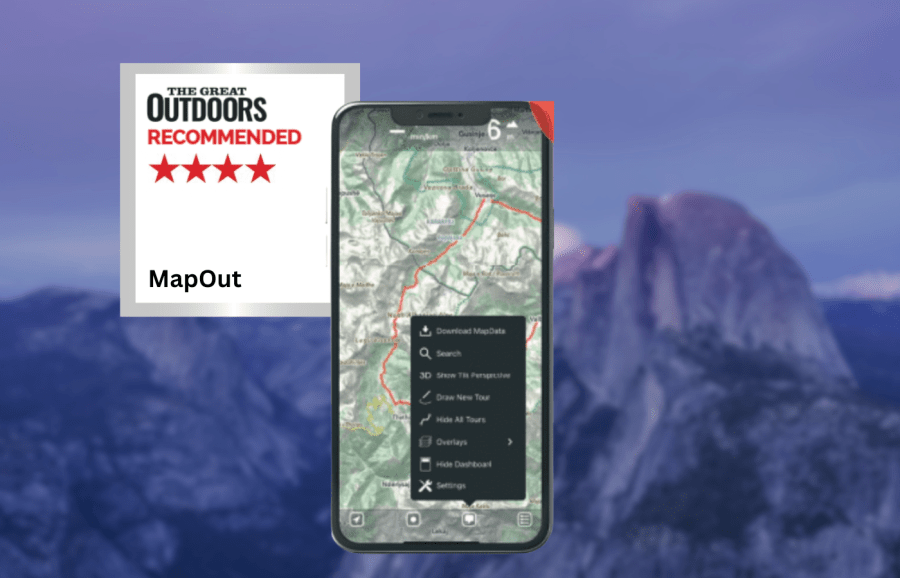
For a low price with no additional costs, Jame Roddie finds a lot to recommend in the MapOut app.
Mapout is available as a one-off hiking app purchase for £4.99, after which you have unlimited map tile downloads for no additional cost. The only mapping layer available is OpenStreetMap – so there is no ability to view any detailed topographic maps (Ordnance Survey for example).
James Roddie’s Best Value
This is a really good app for navigation if you don’t need detailed topographic maps, and it works brilliantly while fully offline.- Low cost
- Simple interface
- Excellent for offline use
- No detailed topographic map layers
- iOS only
| Quick specs |
|---|
| Cost: £4.99 one off purchase (available from the App Store) Platforms: iOS Maps: OpenStreetMap Features: Track recording, offline map tile downloads, GPX import/export, 3D tilt perspective, customisable waypoint icons. Offline? Fully functional offline once map tiles downloaded mapout.app |
There is also no satellite layer. This limits this app’s performance for precise navigation, so you might need to use it alongside another app for safe navigation in certain circumstances. However, for use on marked trails or in situations when you don’t require detailed topographic data, there is a lot to recommend about this app. Offline usage is excellent.
The app is fully functional offline once you have downloaded the map tiles you require. You can record and plot routes whilst offline, and they will be saved even if you close the app without signal. The snap to path/road plotting function also works perfectly offline, which is not the case with some apps. Route plotting is intuitive and simple. The interface is uncluttered and consistently operates smoothly. I like the ability to assign different icons to waypoints, as this can help to visualise distances between priority locations such as campsites or food re-supply points. You can also add notes and keywords to waypoints, but there is no option to add photos.
Another feature I enjoy the is the 3D tilt function. By tilting your phone you can instantly get a feel for the topography of the landscape. Unfortunately, the app only works on iOS and there is no web browser version.
Overall however this is a really good app for navigation if you don’t need detailed topographic maps, and it works brilliantly while fully offline. For a low price with no additional costs, there is a lot to recommend here.
How we tested
James tested these apps across the Scottish Highlands, Patagonia and the Balkans. Tests were performed on an iPhone with an up-to-date version of iOS. Weather forecasting apps were tested in both mountainous and lowland locations. You can compare this with other in our guide to the best hiking apps.
This review was first published in the July issue of The Great Outdoors.